

Skills & actions
The actions your agent can take during a call — booking, transfers, callbacks, and more.
Skills & actions
Skills are the actions your agent can take during a call — transferring the caller, booking an appointment, opening a ticket, and so on.
There are two places skills show up, and it helps to know the difference:
- Tools (in the sidebar) is the workspace catalog — the full list of skills available to build with.
- The Skills tab (inside the agent editor) is where you attach and configure skills on one specific agent. Turning a skill on here — or adding a Task on the Persona tab that needs it — makes it available to that agent's calls.
So: browse in Tools, switch on and set up in the Skills tab.
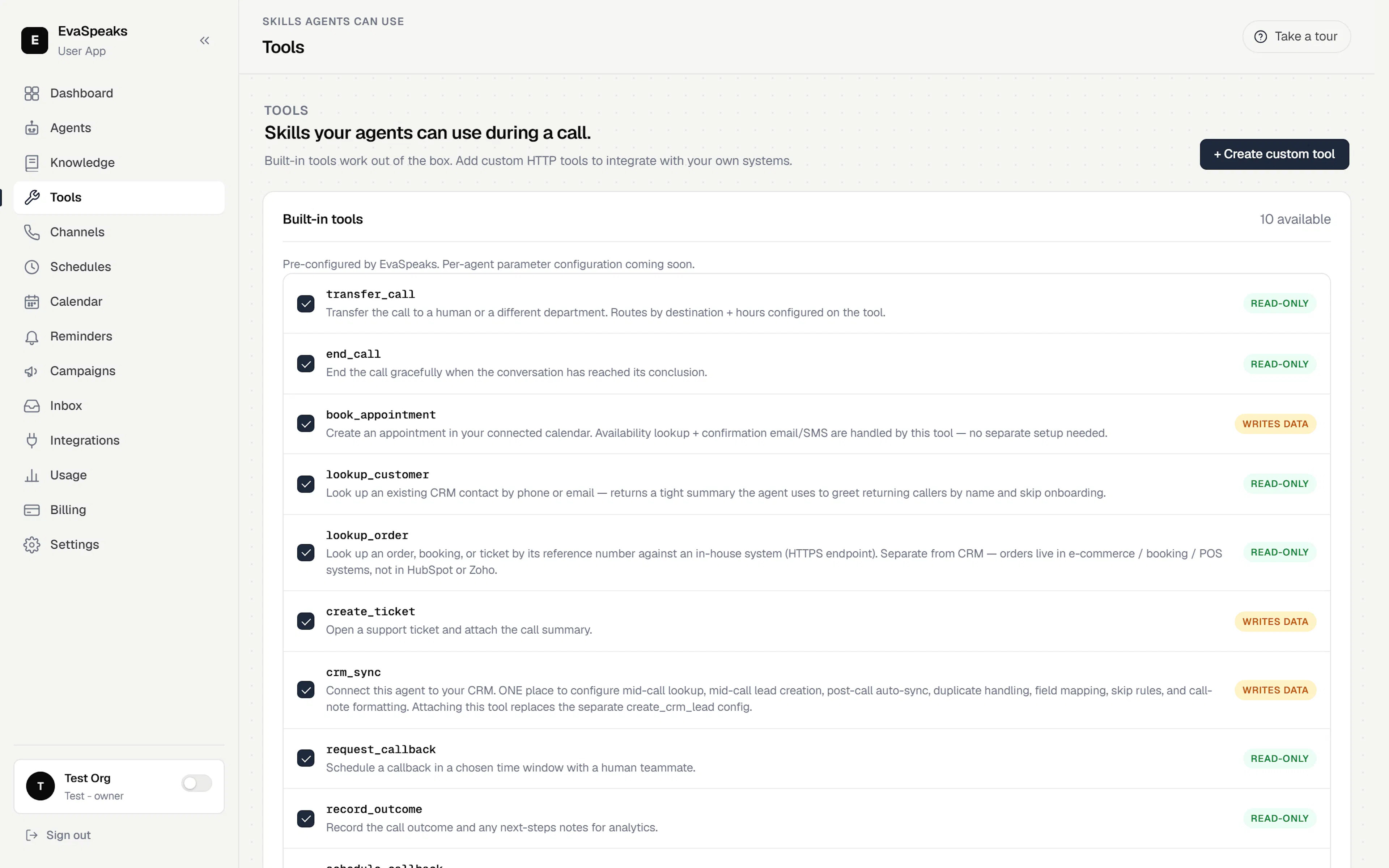
Built-in skills
Skills are grouped by what they do:
Call handling
- Transfer call — hand the call to a person or department.
- End call — wrap up the conversation gracefully.
- Record outcome — log what the call accomplished for reporting.
Scheduling & follow-up
- Book appointment — schedules a meeting on your calendar during the call. This one skill bundles availability lookup and a confirmation SMS or email — no separate setup for those.
- Request callback — logs a request to call the person back.
- Schedule callback — queues a follow-up outbound call at a set time.
CRM & contacts
- Look up customer — recognizes a returning caller by phone or email and greets them by name.
- CRM sync — connects the agent to your CRM to look up and log contacts.
Support & orders
- Create ticket — opens a support ticket and attaches the call summary.
- Look up order — finds an order, booking, or ticket by its reference number.
Skills that need a connection
Some skills rely on an outside app — a calendar, a CRM, a helpdesk. A skill that isn't connected yet shows a ⚠ Needs setup badge until you finish it. Connect the app first under Integrations — see Connect your tools — then the skill is ready to use.
Set up appointment booking
- Connect a calendar under Integrations (Google, Outlook, or Cal.com). See Connect your tools.
- In the agent editor's Skills tab, enable Book appointment and choose the calendar to book into.
- Set your business hours so the agent only offers open times.
The agent can now check availability and book meetings on the call — availability and the confirmation message are handled by the skill itself. To remind callers about their booking, see Appointments & reminders.
Custom tools (advanced)
Need the agent to reach your own system? A Custom API is an operator-defined HTTP endpoint the agent can call during a conversation. Define it once and it behaves like any other skill on the call. This is an advanced option for teams with their own services to connect.