
Plans, usage & billing
See what you're using and manage your plan, balance, and invoices.
Plans, usage & billing
Two pages cover the money side: Usage shows what your agents are doing, and Billing is where you manage your plan and pay for it.
Usage
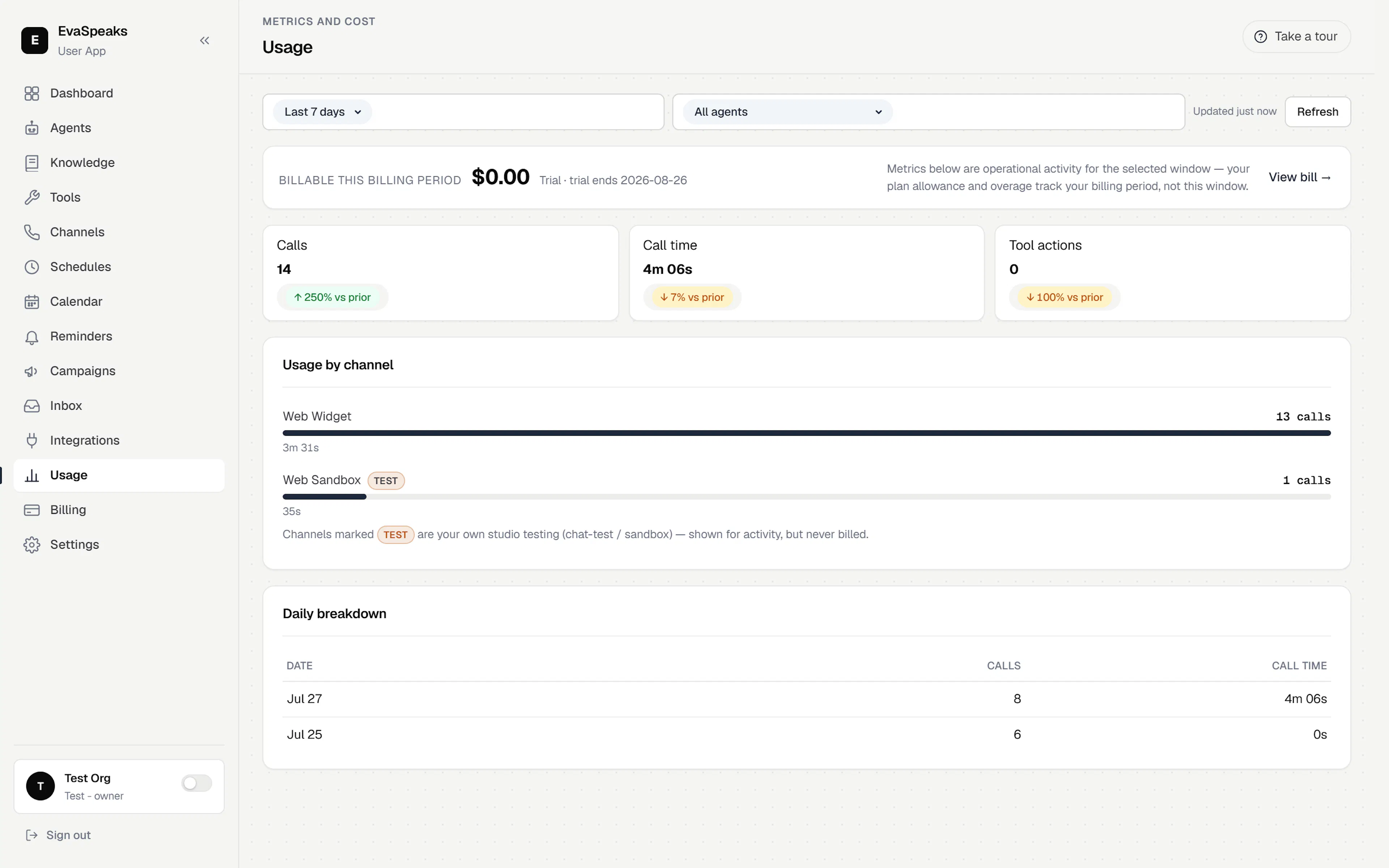
The Usage page shows your metrics and cost for a window you choose. It shares the Dashboard's filters — the same time-window presets (Today through Last month, plus Custom) and a per-agent filter, so you can look at one agent or the whole workspace.
You'll see headline totals (calls, call time, and tool actions), a usage-by-channel breakdown, and a daily table. A tie-in card links what you're using this window to what you actually owe this billing period, with a shortcut to the Billing page. Your own studio test and sandbox sessions show up here as activity but are never billed.
Billing
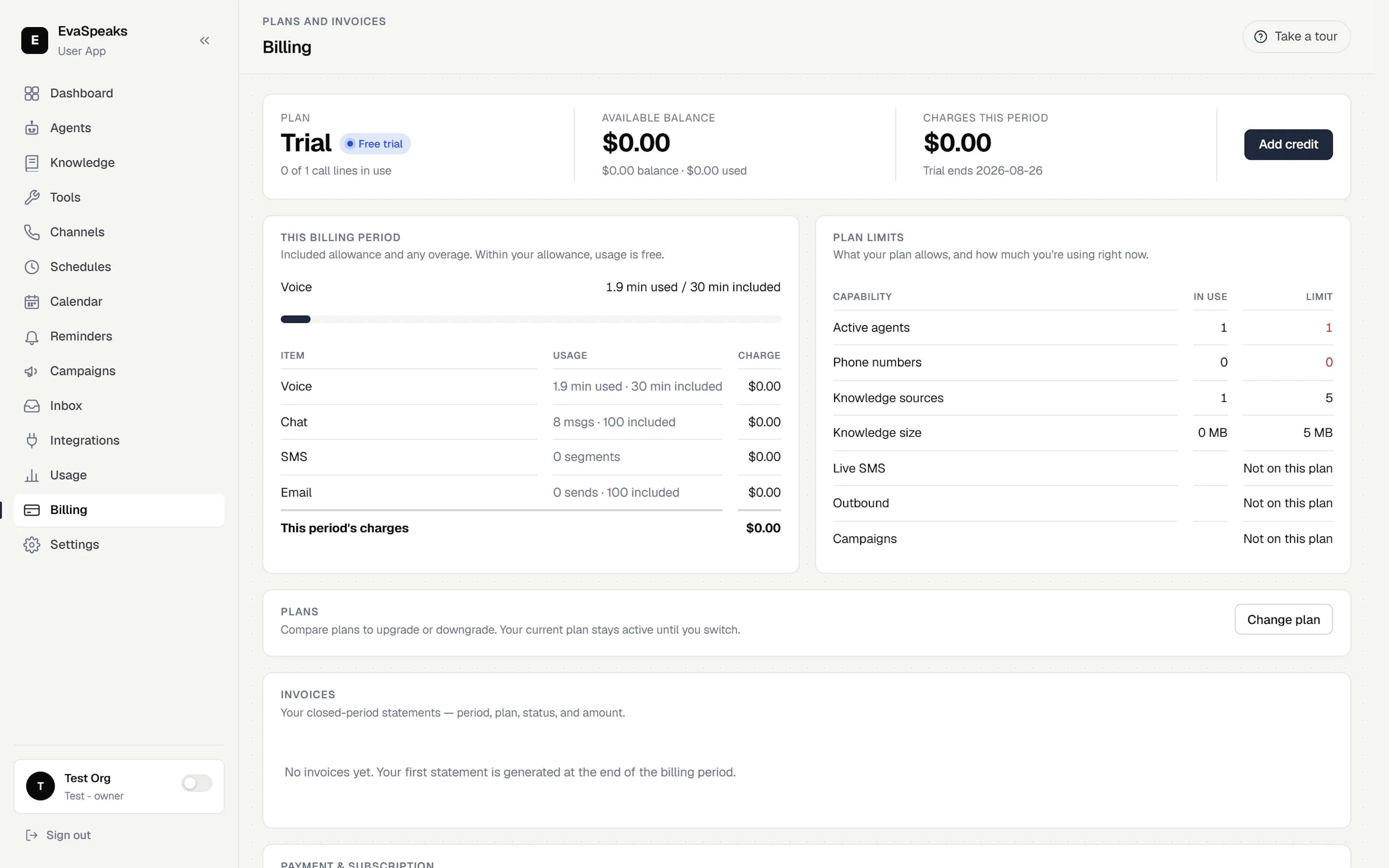
The Billing page is where you manage the account behind your agents:
- Your plan and current subscription.
- Your wallet balance and top-ups.
- Your invoices and billing period.
Usage draws down against your plan and balance as your agents work. If a workspace runs out of balance or hits a limit, some actions may pause until you top up or adjust your plan — so if an agent stops taking new calls unexpectedly, check Billing first.